
A clearer picture of the week.
An iPad calendar built for packed schedules: see the week, act in place.
- My contribution
- Product designer
- Product
- Microsoft Teams
- Scope
- iPad experience
- Milestone
- Ignite 2024
- Timeline
- 6 months (2024)
Key results
- Igniteannounced at Microsoft Ignite 2024
- 4 → 1steps in the redesigned rescheduling workflow
Publicly announced feature scope and the designed rescheduling workflow.
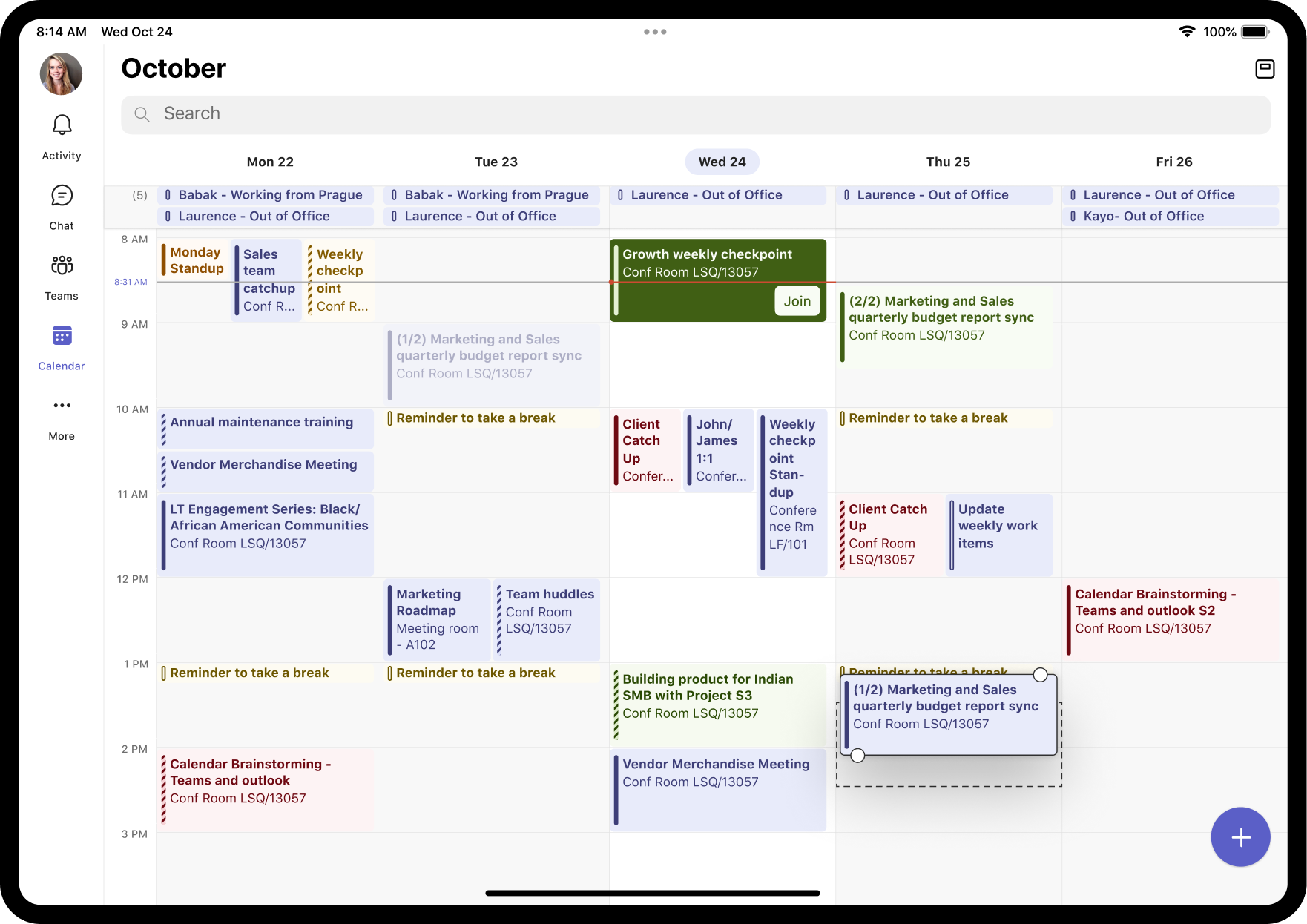
A larger canvas. A clearer week.
Power users and executives live in their calendars: back-to-back meetings, constant changes. On iPad, that meant switching views and too many steps to adjust a day.
Santosh Sagar from my team contributed the initial designs. I took over early as product designer and carried the experience through to launch.
See more. Act where you are.
See the whole week.
Five-day and seven-day views put the full working week on one screen, so a packed schedule reads at a glance.
Act without leaving the calendar.
Drag-and-drop rescheduling cuts the designed workflow from four steps to one. Synced category colours make priorities easy to spot.
A desktop-like planning surface on iPad, announced at Microsoft Ignite 2024.
Read the Ignite 2024 announcementFor anyone with a dense, shifting schedule, the redesign brings planning and meeting actions into the same iPad surface.
- Plan the whole weekWeek and work-week views are well adopted, with most people staying in them, giving a broader view than a single-day schedule.
- Join in one tapQuick join on calendar cards is used heavily, taking people straight into the next meeting without opening its details.
- Prioritise at a glanceSynced category colours make it easy to distinguish meetings in a busy schedule. Qualitative feedback has been strong.
- Reschedule in placeDrag and drop keeps meeting adjustments on the calendar, cutting the designed workflow from four steps to one.
- Read crowded daysRicher cards show more title and context, so people can join, respond or triage faster.
Busy days. Clearer cards.
Making packed days easier to read.
Busy day views were hard to read. Cards wasted space, and truncated titles made it hard to distinguish multiple overlapping events.
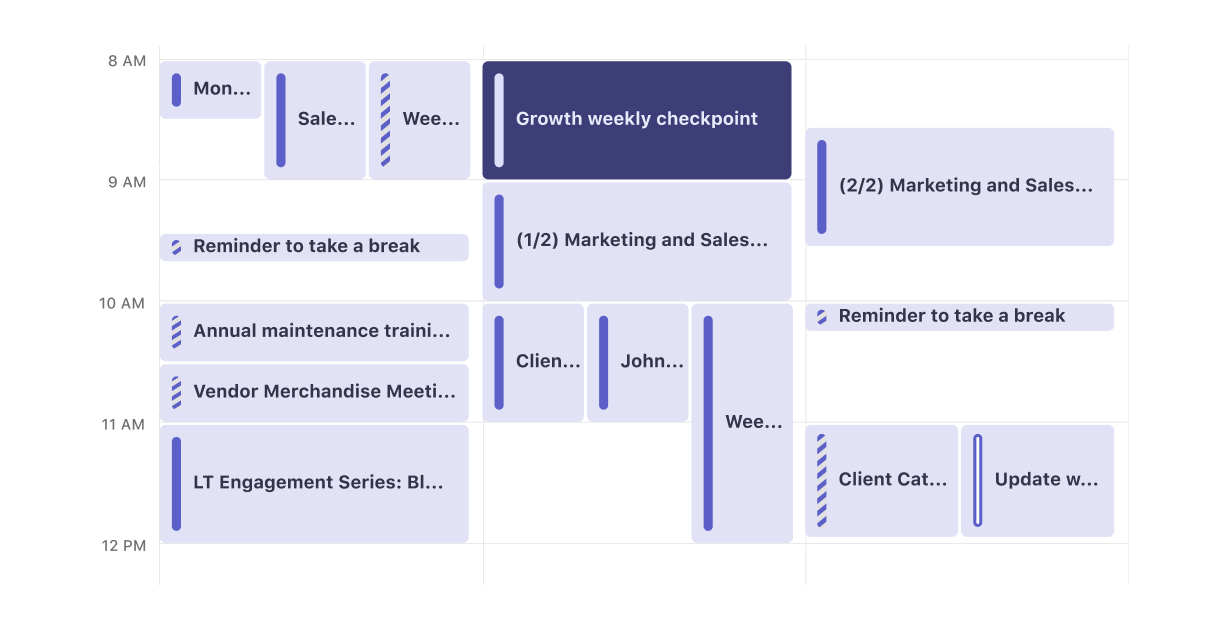
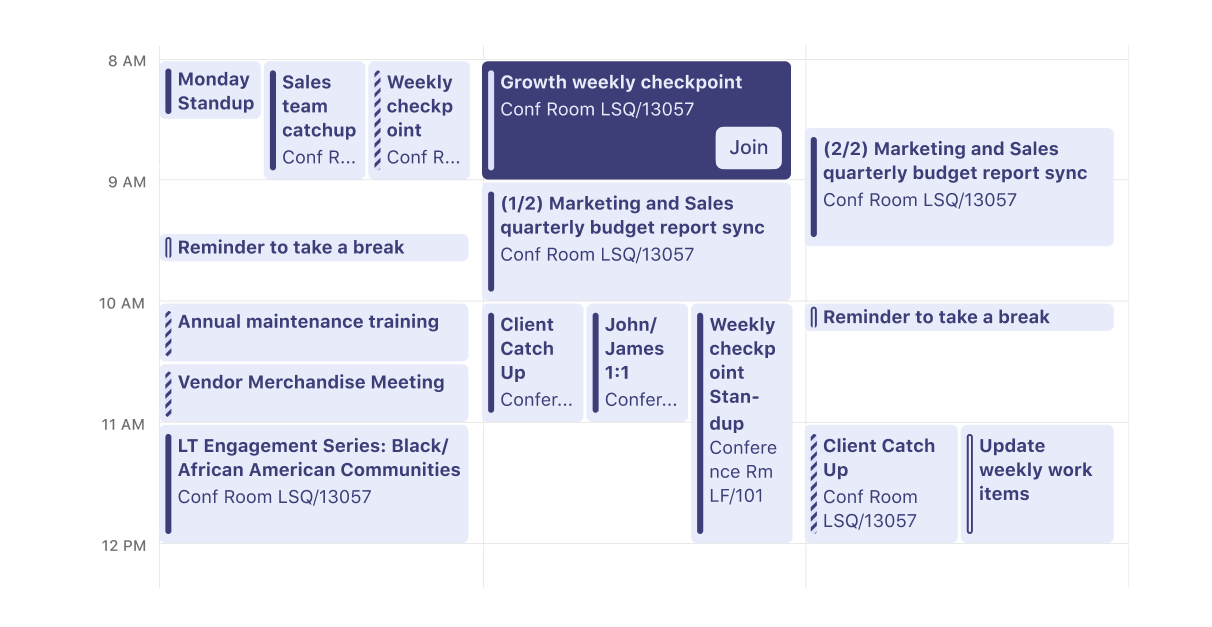 BeforeAfter
Drag the divider or use the arrow keys to compare the interface before and after.
Make every card work harder.
We redesigned the cards with better padding and truncation logic, so overlapping events stay distinguishable.
Join the next event from the calendar.
We added a join button on the calendar surface for the next upcoming event.
For people with packed days, the next meeting is easy to find and quick to join.
At a glance
- 2 Week views: five-day and seven-day
- Drag and drop Reschedule in place
- Category colours Spot priorities fast
- Craft improvements Clearer cards, quick join
Feature scope, not measured business outcomes.